
Video Editing
This course is designed for those who want to enter the world of video editing and post-production. From fundamental editing principles to advanced effects, you will gain a broad range of skills to create professional-quality videos.
Details
Duration: 8 Weeks
Level: Beginner – Intermediate
Format: Live video lessons, downloadable worksheets, interactive Q&A, final project
About the course
This course is designed for those who want to enter the world of video editing and post-production. From fundamental editing principles to advanced effects, you will gain a broad range of skills to create professional-quality videos.
Key Points
In this course, you will:
- Introduction to video editing software (Adobe Premiere Pro, DaVinci Resolve, Final Cut Pro)
- Basic editing techniques and timeline management
- Color correction and color theory
- Audio synchronization and basic sound mixing
- Visual effects (VFX) and motion graphics
- Final project: Editing a short video
Required Materials
- Video editing software (Adobe Premiere Pro, DaVinci Resolve, Final Cut Pro, etc.)
- A high-performance computer (recommended)
- Creative ideas and a passion for editing!
Course Lessons
Topics:
- Video formats and resolution concepts
- Basics of editing software
- Project management and organization
Practical Exercise:
- Creating your first video project
Topics:
- Timeline management
- Cuts, transitions, and pacing
- Editing techniques for storytelling
Practical Exercise:
- Creating a simple story with basic edits
Topics:
- Color theory and emotional impact
- Color correction vs. color grading
- Using LUTs and manual color adjustments
Practical Exercise:
- Enhancing the color tone of your video
Topics:
- Sound mixing and noise reduction
- Dialogue editing and adding background music
- Sound effects and synchronization techniques
Practical Exercise:
- Editing and syncing audio for your video
Topics:
- Basic visual effects techniques
- Intro to After Effects or Fusion for animations
- Text animations and transition effects
Practical Exercise:
- Creating a simple motion graphic
Week 6: Dynamic Editing & Storytelling
Topics:
- Scene transitions and creative effects
- Matching music with visuals
- Editing techniques for emotional impact
Practical Exercise:
- Experimenting with editing to create a specific mood
Topics:
- Formats for Instagram, YouTube, and TikTok
- Mobile and vertical video editing
- Quick and engaging social media content
Practical Exercise:
- Creating your own short-form social media video
Week 8: Final Project & Presentation
Topics:
- Integrating all learned techniques
- Peer review and constructive feedback
- Presenting and sharing projects
Final Project:
- Editing and presenting a professional-quality video
Additional Resources
Bonus Materials: Pre-made transitions, LUT packs, and templates
Exclusive Student Community: Private group for course participants
Instructors
Instructor To Be Determined
Check back soon!
Features
- Live lessons available as recordings
- 1 month access after course ends
- Google Classroom
- Certificate of completion
Related courses
OBS
Master the art of live streaming with OBS Studio! Whether you’re looking to start a gaming channel, host webinars, or improve your online presentations, this...
Visit Course PageVideo Editing
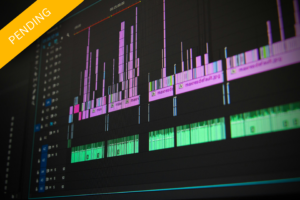
This course is designed for those who want to enter the world of video editing and post-production. From fundamental editing principles to advanced effects, you...
Visit Course PageSound Editing
This course is designed for those who want to learn fundamental and advanced techniques in sound editing and production. Covering topics such as recording, mixing,...
Visit Course PageCapturing & Lighting
This course is designed for those looking to step into professional photography or enhance their existing skills. Focusing on lighting techniques, composition, and capturing compelling...
Visit Course Page